Vector, not a screenshot
Every word is selectable and searchable. Parsers read it as text, because it is text. Headings are drawn as words, never letter-spaced into E X P E R I E N C E.
 linkedinto.cv
Add to Chrome
linkedinto.cv
Add to Chrome
Chrome side panel · Free to start
Open the side panel on any profile. linkedinto.cv reads what is on the page and renders a designed PDF with real, selectable text, the kind an applicant tracking system can actually read. Your profile never leaves your computer.
One CV free. No account, no sign-up.
About
Experience
Show all 9 experiences
Education
You can. It produces a plain document with LinkedIn's own layout, no control over what appears, and no way to leave anything out.
Every word is selectable and searchable. Parsers read it as text, because it is text. Headings are drawn as words, never letter-spaced into E X P E R I E N C E.
Tick entries in or out one by one, or drop a whole section's descriptions to fit two pages instead of three. The CV is yours before it is a file.
Reading and rendering both happen in your browser. There is no account, and no server that ever receives your profile, so there is nowhere for it to go.
Any LinkedIn profile, yours or a candidate's. Open the side panel and press Extract.
Every field is editable. Untick what you don't want. Where LinkedIn only previewed a section, press Get all and the full list is fetched.
Pick a template and save. Selectable text, sane margins, and a filename that makes sense.
Each one taken from a printed CV. Press anything below and the page redraws. This is the extension’s own renderer running here, on an invented profile, with the same controls and the same one-page fitter deciding what to tighten.
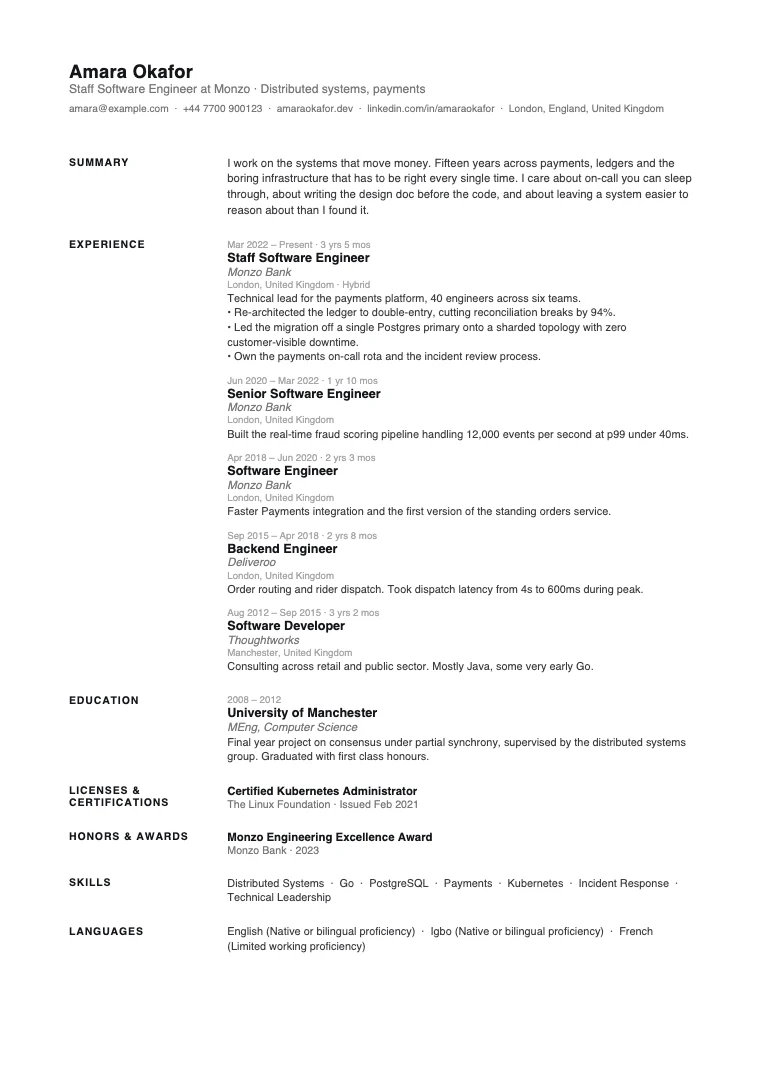
One page, every time.
Ink, accent and paper are free colour pickers in the extension. These six are just the presets.
One CV free to see whether it fits, then buy the downloads you need. Credits, not a subscription, and they never expire.
€0
Most popular
€19€1.90 each
€49€0.98 each
Payments handled by Stripe. Activate by pasting your key into the panel's account menu.
No. Most CV tools ask you to upload your profile so a backend can process it. This one cannot: extraction runs in the page, rendering runs in the panel, and the file is written straight to your downloads folder. There is no server to receive it. The only request the extension can ever make is validating a licence key with the payment provider, and only if you buy one, so free users generate no network traffic at all.
No. There is nothing to sign up for, no email to hand over and no password. Install it, open a profile, and it works.
No. It reports nothing: no telemetry, no pixels, no analytics of any kind. It keeps a diagnostic record so a failed extraction can be explained, and that stays on your machine, with your profile text excluded unless you switch it on yourself. This website measures its own traffic, which is described in the privacy policy, and none of that can see anything inside the extension.
Never. It reads the page and nothing else. Your profile is never edited, nothing is posted, and nothing is drawn over the page you are looking at.
Yes. The PDF is vector text rather than an image, so every word is selectable and machine-readable. Headings are drawn as real words rather than letter-spaced, which is a common way designed CVs quietly become unparseable.
It reads whatever profile you have open, which is useful for recruiters formatting a candidate summary. It only ever reads what is already visible to you.
LinkedIn previews long sections and keeps the rest on a separate page. Where that happens you get a Get all button on the section; the panel opens the full page, reads it, and closes it again.
Nothing you made is lost. Buy credits and downloads resume. Your saved profiles and edits are still there.
Yes. Extraction is based on the shape of the content rather than LinkedIn's class names, so it survives their redesigns. Both the classic and current layouts are covered by the test suite.
No. linkedinto.cv is independent and is not affiliated with, endorsed by, or sponsored by LinkedIn Corporation.
Three things we learned building this, written down properly.
The first one is free. No account, no upload, no catch.
Add to ChromeChrome 114 or newer. Works in Chrome, Edge, Arc, Brave and Dia.
A profile that imported wrong, or something missing? Send feedback and it will be read by the person who built it.